
HRIS vs HRMS is one of those decisions that is crucial when a business has to choose its sole HR management system. The right platform affects employee records, approvals, payroll accuracy, attendance flow, reporting, manager visibility, and the amount of manual follow-up HR carries each month. Many teams start searching when spreadsheets become unreliable, records start living in too many places, and payroll depends on repeated checking before anyone feels confident enough to process salaries.
In India, that choice usually carries even more weight. HR data does not sit in isolation. It influences attendance validation, leave balances, onboarding records, compliance support, payroll inputs, and employee self-service. Some businesses only need a reliable system to organise employee information and steady routine HR work. Others need a broader setup that supports payroll, attendance, workflows, reviews, and wider people operations without creating more admin than it removes.
This guide breaks the comparison down in a practical way, so the decision feels less like software jargon and more like an operational choice.
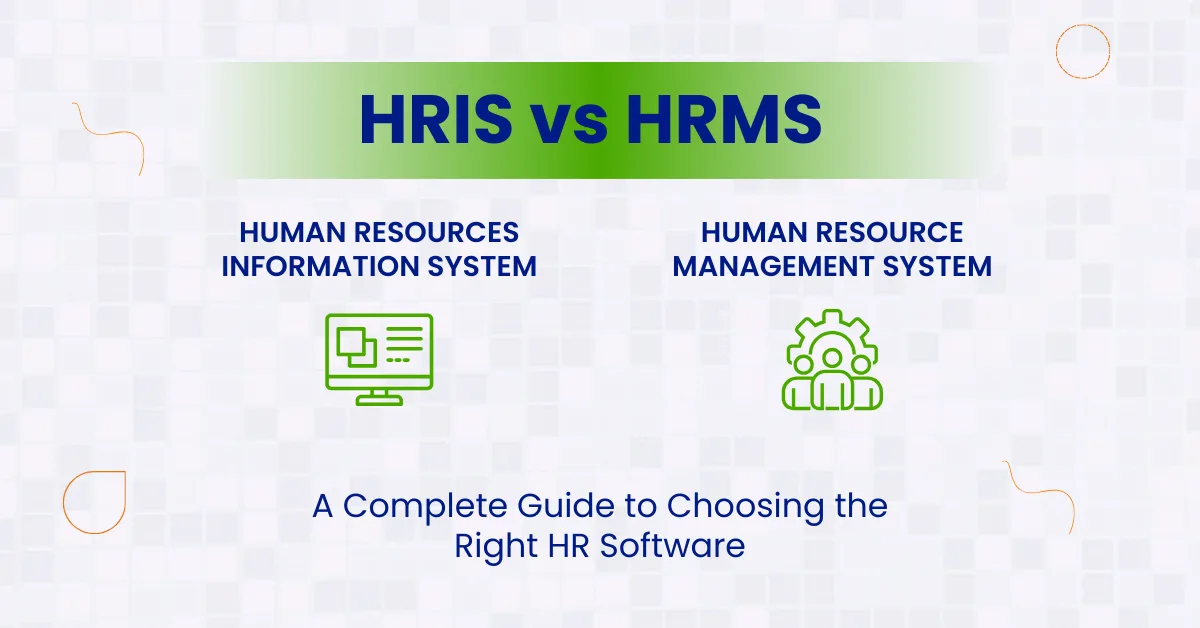
HRIS vs HRMS: Understanding the Basics
An HRIS or Human Resource Information System is mainly used to organise, manage, and update employee information while supporting core HR administration. Its primary value comes from centralised records, cleaner data, and reduced administrative friction.
An HRMS or Human Resource Management System usually includes HRIS capabilities and extends into wider process management. In many cases, that includes payroll, attendance, shift handling, approvals, onboarding workflows, performance tracking, and broader employee lifecycle management.
The simplest way to look at it is this. HRIS is usually built to manage employee information well. HRMS is usually built to manage employee information and wider HR operations together.
Build HR and Payroll on One Stronger System
When attendance, leave, payroll, and employee records stay connected, HR works faster and with fewer monthly errors.
What Is an HRIS?
An HRIS acts as the central home for employee information. It replaces scattered spreadsheets, email-based approvals, disconnected files, and manual updates with one organised digital record system.
For many businesses, this is the first major step away from paper-heavy HR work. A typical HRIS may include:
- Employee profile management
- Joining and exit records
- Document storage
- Leave and attendance records
- Basic reporting
- Compliance-related employee information
- Employee self-service access
- Basic payroll or payroll-linked integrations
The strength of an HRIS lies in order and control. It helps HR teams maintain accurate employee records, reduce duplicate data, and keep information easy to retrieve during audits, payroll cycles, or policy reviews.
For smaller companies or firms that are still building an HR structure, that alone can make a major difference.
What Is an HRMS?
An HRMS builds on the foundation of an HRIS and adds wider management functions. It is generally chosen by companies that want not only employee recordkeeping but also stronger process control across payroll, performance, time, workforce planning, and people operations.
A strong HRMS may include:
- All core HRIS functions
- Payroll processing
- Attendance and shift management
- Performance reviews
- Goal tracking
- Recruitment and onboarding workflows
- Training and development records
- Workforce analytics
- Benefits administration
- Approval workflows across departments
This makes HRMS more suitable for businesses with higher employee counts, more process complexity, multiple locations, or growing expectations from the HR team. It helps move HR beyond record maintenance into active management.
In many organisations, the HRMS becomes the operating layer that connects HR, payroll, managers, and employees into one consistent system.
HRIS vs HRMS: Key Differences Explained
The biggest difference between HRIS and HRMS is scope.
- An HRIS is usually centred on employee information and core administrative functions.
- An HRMS is more likely to combine administration with payroll, attendance, talent, and process management.
Here is the practical difference in plain language.
- If the business mainly needs to keep employee records clean, automate common HR paperwork, and maintain compliance-ready information, an HRIS may be enough.
- If the business wants to run day-to-day HR operations, process payroll, manage attendance, track performance, and bring more people processes into one system, an HRMS is usually the stronger fit.
Another difference is complexity. HRIS systems are often quicker to implement and simpler to use. HRMS platforms can deliver more value over time, though they may need stronger process planning before rollout.
HRIS vs HRMS Comparison Table
| Area | HRIS | HRMS |
| Primary focus | Employee information and core HR admin | Broader HR operations and employee lifecycle management |
| Payroll support | Limited, linked, or integration-based in many systems | Usually stronger and more operationally connected |
| Attendance and leave | Basic to moderate | Moderate to advanced |
| Performance management | Rare or limited | Common in broader systems |
| Workflow automation | Basic approvals and records | Wider cross-functional workflows |
| Reporting depth | Standard HR reporting | Deeper operational and workforce reporting |
| Best fit | Small or process-light businesses | Growing, multi-team, or process-heavy businesses |
| Implementation effort | Lower | Higher, though more scalable |
| Budget range | Lower to moderate | Moderate to higher |
HRIS vs HRMS in India: What Businesses Should Check Before Choosing
In India, the HR software affects how smoothly payroll inputs move every month, how leave and attendance are validated, how employee documents are stored, and how easily the HR team can support compliance-heavy workflows.
Before choosing between HRIS and HRMS, Indian businesses should check:
- Whether attendance can flow into payroll without repeated manual validation
- Whether leave balances, holiday calendars, and shift logic are easy to maintain
- Whether employee self-service is strong enough for payslips, documents, and profile updates
- Whether approval workflows match real reporting structures
- Whether the system can support multi-location teams without creating duplicate effort
- Whether payroll dependencies are handled inside the same environment or through fragile integrations
This matters because many businesses buy an HR tool for records first, then later discover that payroll, attendance, and approvals still sit outside the system. That usually brings manual work back into the process.
Comparing HRIS vs HRMS for Payroll-Heavy Operations?
If payroll depends on attendance, leave, approvals, and compliance, a basic HR setup may keep creating avoidable monthly friction.
HRIS vs HRMS vs HCM: Where the Third Term Fits
HRIS and HRMS are often compared with HCM as if all three are interchangeable. They are related, though they do not always mean the same thing.
- HRIS is usually centred on employee information and core HR administration.
- HRMS usually expands into payroll, attendance, workflows, and wider employee management.
- HCM is often used as a broader people strategy term that may include planning, engagement, development, compensation, and workforce value creation.
Many vendors use these terms differently, which is why businesses should evaluate function first and terminology second. In most buying situations, what matters is not whether the product is marketed as HRIS, HRMS, or HCM. What matters is whether it can support the actual HR and payroll work the business needs to manage.
Functional Scope: Where the Gap Becomes Clear
This is where many buying decisions get clearer. An HRIS helps answer questions like:
- Where is the employee’s latest contract?
- How many leave days are available?
- Which employees joined this quarter?
- Do we have complete employee records?
- Can employees update their own details?
An HRMS helps answer wider operational questions like:
- Is attendance linked correctly to payroll?
- Which teams have pending performance reviews?
- How do we automate onboarding approvals?
- Can managers track goals and employee progress?
- Are payroll, attendance, and employee records aligned?
Both are useful. The difference lies in how much the company expects the system to do.
Benefits of an HRIS
An HRIS brings clarity to HR administration. That may sound basic, though in companies still managing employee data through files, sheets, and email threads, it can remove a surprising amount of friction.
The main benefits of an HRIS include:
- Centralised employee data
- Lower manual entry errors
- Faster access to records
- Cleaner compliance support
- Easier employee self-service
- More consistent reporting
- Less time spent chasing updates
It also helps HR teams establish discipline in core processes. When records stay updated in one place, payroll inputs are cleaner, policy communication becomes easier, and managers spend less time asking HR for routine employee information.
For many growing companies, an HRIS is the point where HR administration stops feeling scattered.
Benefits of an HRMS
An HRMS brings wider business value because it connects more parts of the employee lifecycle. It not only stores information. It helps manage activity.
The main benefits of an HRMS include:
- Better control over payroll and attendance
- Stronger workflow automation
- Improved onboarding consistency
- Performance and goal visibility
- Better reporting across people operations
- Reduced duplication across tools
- Support for scale across teams and locations
- More structured employee lifecycle management
An HRMS is often the better choice when HR is expected to do more than administration. If leadership wants process visibility, cleaner approvals, workforce reporting, and stronger alignment between HR and payroll, HRMS generally offers that wider capability.
HRIS vs HRMS for Small, Mid-Sized, and Growing Businesses
Business size does not decide everything, though it often shapes what is practical.
Small businesses
Small businesses often do well with an HRIS when the need is straightforward. They may want a better employee database, cleaner leave records, self-service access, and a structured system that reduces HR paperwork. A full HRMS may feel excessive if most advanced features stay unused.
Mid-sized businesses
Mid-sized firms sit in the middle. This is where the decision needs more thought. If payroll, attendance, approvals, onboarding, and reporting are becoming harder to manage, a lighter HRIS may start feeling restrictive. A well-structured HRMS may deliver better long-term value.
Growing businesses and multi-location firms
Businesses that are hiring quickly, operating in multiple cities, or dealing with growing compliance and payroll pressure usually benefit more from HRMS. They need a stronger process connection, not just better storage.
This is where businesses should think beyond current admin load and look at what the system will need to support over the next two to three years.
HRIS vs HRMS and Payroll
| Area | HRIS | HRMS |
| Payroll connection | Some HRIS platforms offer payroll integrations or limited payroll-linked features. This can work when payroll is handled separately, and the main need is employee data consistency. | An HRMS is usually more useful when payroll needs to sit close to day-to-day HR operations and not remain isolated. |
| Best fit | Works better for businesses where payroll is run outside the HR system and only basic coordination is needed. | Works better for businesses where salary processing depends on attendance, shift data, overtime, leave balances, reimbursements, approvals, and compliance workflows. |
| Process dependency | If payroll sits outside the system, teams often depend on exports, uploads, and repeated validation. | Payroll and HR data stay more connected, which supports a cleaner monthly process. |
| Manual effort | Separate payroll handling usually creates repeated data transfer, more manual checks, and a higher chance of a mismatch. | A connected setup reduces duplicate handling and lowers the chance of payroll errors caused by broken data flow. |
| Operational value | Suitable where payroll complexity is still limited and the business can manage some manual coordination. | For businesses where payroll accuracy and monthly process efficiency are priorities, HRMS usually creates a stronger operating model. |
HRIS vs HRMS and Employee Experience
This part is often underestimated. Employees do not care whether a platform is called HRIS or HRMS. They care whether they can access the information they need without friction.
- Can they download salary slips?
- Can they update personal details?
- Can they check leave balances?
- Can they complete onboarding documents?
- Can managers approve requests without delay?
A good HR system improves confidence because it removes uncertainty from routine interactions. If employees constantly depend on HR for small things, the system is not doing enough work.
An HRIS can improve this to a point. An HRMS usually goes further because it connects more processes that employees and managers interact with regularly.
Cost and Scalability Considerations
An HRIS is usually easier on the budget and quicker to roll out. That makes it attractive for firms that need immediate structure without committing to a broader process change.
An HRMS usually costs more, though the cost should be judged against what it replaces. If the company is paying separately for attendance tools, payroll systems, manual onboarding effort, reporting workarounds, and performance tracking gaps, a stronger HRMS may reduce more operational drag than expected.
Scalability matters just as much as price. A business should ask:
- Will this still work if headcount doubles?
- Can it support multiple entities or locations?
- Will payroll stay manageable as complexity grows?
- Can managers use it without heavy support from HR?
- Will we outgrow it too fast?
The cheapest system is not always the lower-cost decision over time.
How to Choose Between HRIS and HRMS
A practical buying decision usually comes down to five checks.
1. Assess your current needs
List the actual problems HR faces today. Not generic goals. Real bottlenecks. Is the issue messy employee records, or is it the lack of payroll-attendance linkage, approval delays, and poor reporting?
2. Identify non-negotiable functions
Decide what the system must handle from day one. Core records, payroll, attendance, onboarding, performance, employee self-service, or all of these.
3. Review future growth
Do not buy only for today. Think about hiring plans, new locations, compliance complexity, and the possibility of needing stronger people reporting later.
4. Check integration logic
The platform should either include the critical functions natively or connect cleanly with the tools already in use. Weak integration usually brings manual work back through the side door.
5. Look at usability
The best system on paper fails if HR teams, employees, and managers do not use it comfortably. A cluttered interface creates adoption problems quickly.
Find the Right HR System Before Growth Makes the Wrong One Expensive
The cost of choosing too little usually appears later in manual work, reporting delays, payroll mismatches, and compliance pressure.
When an HRIS Is the Better Choice
An HRIS is usually the better option when:
- The company needs a reliable employee record system
- HR work is mainly administrative at this stage
- Payroll is already handled elsewhere and works well
- Budget is tighter, and priorities are focused
- The workforce structure is not highly complex
It works best for firms that want to create order first before expanding into a wider HR operating model.
When an HRMS Is the Better Choice
An HRMS is usually the better option when:
- Payroll and attendance need to connect closely
- The company wants wider workflow automation
- Managers need process visibility
- Performance, onboarding, and approvals need structure
- The business is scaling or operating across locations
- Leadership wants a stronger workforce reporting
If the organisation expects HR to support not only records but also execution, planning, and process consistency, HRMS is often the stronger long-term fit.
When Should a Business Move from HRIS to HRMS?
A business usually outgrows an HRIS when employee records are no longer the main issue and process coordination becomes the real problem. That point often shows up when:
- Payroll depends heavily on attendance, leave, overtime, and reimbursement inputs
- Managers need structured approvals inside the system
- Onboarding tasks are getting missed across teams
- Performance cycles are handled manually or inconsistently
- HR reporting is taking too long to prepare
- The company is expanding across cities, business units, or entities
A useful rule is this. If HR is spending more time connecting processes than managing them, the business is probably moving closer to HRMS territory.
Common Mistakes Businesses Make When Comparing HRIS vs HRMS
Some businesses choose only on price and ignore process fit. Others buy a broad platform too early and then use only a small fraction of it. Both mistakes are expensive in different ways. The most common errors are:
- Choosing based on the acronym instead of actual functionality
- Ignoring payroll and attendance dependencies during evaluation
- Assuming every HRIS can scale into an HRMS later
- Underestimating implementation effort and change adoption
- Buying for the current size only and not future process needs
- Skipping manager and employee usability during demos
The better buying decision comes from checking what work the system will actually absorb, not how impressive the feature list looks.
How Bharat Payroll Helps Businesses Choose the Right HR System
At Bharat Payroll, the decision between HRIS and HRMS is approached through workflow reality, not software labels. Businesses usually come with a practical problem. Employee records are spread out. Payroll inputs are difficult to trust. Attendance and leave do not connect properly. Approvals move slowly. HR teams spend too much time checking and correcting data.
That is where the right system matters.
For businesses that need stronger employee data structure and cleaner HR administration, the focus should stay on record quality, employee access, and process clarity. For businesses that need payroll-linked attendance, approval control, onboarding flow, reporting visibility, and wider HR operations inside one environment, the system needs to support that from the start.
Bharat Payroll helps businesses evaluate these process needs clearly so they can choose a system that reduces manual dependency, supports payroll accuracy, improves employee experience, and remains usable as the organisation grows.
Final Thoughts
The question is not whether HRIS or HRMS sounds better. The real question is what your HR team needs the system to carry.
If the business needs a strong employee database, cleaner documentation, core HR administration, and better self-service, an HRIS can be the right fit. If the business needs a stronger payroll connection, attendance control, structured workflows, performance visibility, and wider people operations in one place, HRMS is usually the stronger option.
The right choice becomes easier when you look at your monthly HR workload, payroll dependencies, approval complexity, and growth plans together. That is where software stops being a label and starts becoming an operating decision.
Choose the Right HR System for Your Payroll and People Operations
Compare your HR needs, payroll complexity, and growth plans with Bharat Payroll and select the system that fits your business with clarity.
Frequently Asked Questions
1. What is the main difference between HRIS and HRMS?
The main difference is scope. HRIS focuses on employee information and core HR administration. HRMS usually includes HRIS functions and adds payroll, attendance, performance, onboarding, and broader people management processes.
2. Is HRMS better than HRIS for every business?
No. HRMS is not automatically better for every business. Smaller organisations with simpler HR needs may get more value from an HRIS. Businesses with wider process needs usually benefit more from HRMS.
3. Can an HRIS handle payroll?
Some HRIS platforms support payroll directly or through integrations, though not all do. If payroll is central to your HR process, it is important to check actual functionality before choosing the system.
4. Which is better for a growing company: HRIS or HRMS?
A growing company often benefits more from HRMS if it expects more complexity in payroll, attendance, onboarding, approvals, and reporting. The choice depends on how quickly operations are expanding.
5. How should businesses choose between HRIS and HRMS?
Businesses should compare current problems, required features, future growth, integration needs, budget, and ease of use. The best choice is the one that solves real process gaps without creating new ones.