
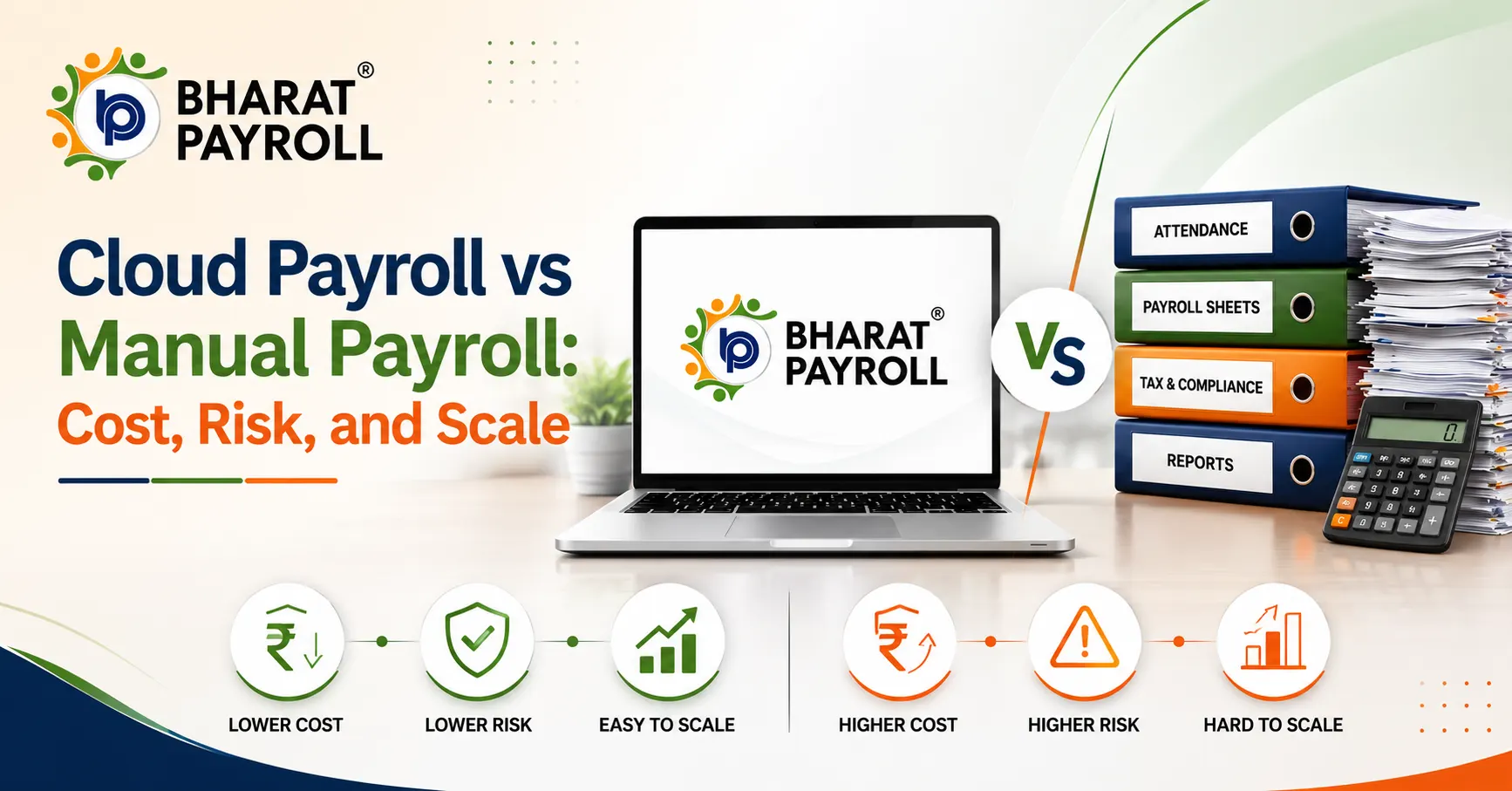
Payroll may appear simple when a business has a small workforce, one salary structure, and limited monthly changes. However, the cloud payroll vs manual payroll discussion creeps in with the increasing headcount, attendance inputs, statutory deductions, incentives, and approval levels.
Manual payroll may avoid an immediate software subscription. However, repetitive data entry, correction work, delayed approvals, compliance checks, and dependence on specific employees can raise its actual cost. Payroll automation introduces a visible technology investment but can improve accuracy, control, reporting, and scalability.
Businesses should therefore compare total operating cost, error exposure, compliance requirements, data security, and future growth—not software pricing alone.
What Is Manual Payroll?
Manual payroll relies on spreadsheets, calculators, emails, paper records, and separate banking or statutory portals to calculate and process employee salaries.
The payroll team may manually:
- Collect attendance, leave, overtime, incentive, and reimbursement records.
- Update salary revisions, deductions, arrears, bonuses, and loss of pay.
- Calculate statutory deductions and employee tax obligations.
- Review multiple spreadsheet versions before payroll approval.
- Prepare bank files, payroll registers, payslips, and accounting entries.
- Correct salary differences after employees receive their payments.
Although spreadsheets can calculate salaries, they do not automatically create a controlled payroll process. One overwritten formula, an outdated salary record, an incorrect cell reference, or a missed employee update can affect several payroll calculations.
What Is Cloud Payroll?
Cloud payroll processes and stores payroll information through a secure online platform. A cloud based payroll software system can automate salary calculations, deductions, approvals, payslips, bank files, payroll reports, and employee records.
When payroll connects with a cloud HRMS, approved attendance, leave, employee, reimbursement, and salary information can move into payroll without repeated manual entry.
Cloud payroll commonly supports:
- Configurable salary structures and pay components.
- Attendance, leave, overtime, and shift integration.
- Automated deductions and tax calculations.
- Payroll review and approval workflows.
- Payslip generation and employee self-service.
- Bank transfer files and accounting reports.
- Payroll registers and compliance-ready records.
- Employee onboarding, transfers, exits, and settlements.
The business still controls payroll decisions, while the software standardises calculations and workflows.
Cloud Payroll vs Manual Payroll: Key Differences
| Area | Manual Payroll | Cloud Payroll |
| Initial expense | Usually low when existing spreadsheets are used | Subscription, configuration, migration, and training costs |
| Monthly effort | High data collection and repetitive processing effort | Automated calculations and structured workflows |
| Error control | Relies heavily on manual checks | Uses validations, rule engines, and approval controls |
| Compliance updates | Payroll team must identify and apply changes | Vendor may update supported statutory rules |
| Audit trail | Changes may be difficult to trace across files | System records can capture users, actions, and approvals |
| Data access | Often restricted to specific devices or files | Controlled online access for authorised users |
| Scalability | Workload rises sharply with employees and entities | Processes larger employee volumes through standardised rules |
| Reporting | Reports require spreadsheet consolidation | Reports can be generated from centralised payroll data |
| Employee service | HR distributes payslips and answers routine queries | Employees may access payslips and tax documents independently |
| Business continuity | Knowledge may remain with one payroll employee | Documented workflows reduce key-person dependency |
Which Payroll Model Costs More?
Manual payroll may appear cheaper because the business does not incur a recurring software subscription fee. However, the comparison changes when the organisation calculates the complete operating cost.
Direct Costs of Manual Payroll
Manual payroll may require spending on:
- Payroll team working hours.
- Spreadsheet creation and maintenance.
- Attendance or leave management tools.
- External consultants and compliance support.
- Senior management verification.
- Printing, documentation, and storage.
- Reconciliation and accounting adjustments.
These expenses may sit under different budgets, but they remain part of payroll processing.
Hidden Costs of Manual Payroll
The largest manual payroll costs often appear after an error or delay.
An incorrect attendance record, bank account number, deduction, salary revision, or tax calculation may require the team to recalculate payroll, contact employees, correct accounting entries, and arrange additional payments.
Other hidden expenses include:
- Delayed payroll closure.
- Repeated employee queries.
- Dependence on one payroll specialist.
- Difficulty retrieving historical records.
- Time spent consolidating reports.
- Penalties or interest caused by incorrect filings.
- Lost productivity during correction cycles.
Businesses can compare these costs with current payroll software pricing to understand the real financial difference.
A practical calculation is:
Total payroll cost = software cost + processing time + review effort + correction cost + compliance effort + continuity risk
This calculation gives management a more realistic comparison than placing a software fee against a spreadsheet license.
What Are the Main Manual Payroll Risks?
Calculation Errors
Manual formulas can produce incorrect results when a user overwrites a cell, copies the wrong formula, applies an outdated rate, or misses a salary update.
Automation can reduce payroll errors by applying approved rules consistently and flagging missing records, unusual payments, duplicate entries, or unexpected salary differences.
Multiple File Versions
Payroll teams may exchange several spreadsheet versions through email or shared folders. Different employees may review different files, making it difficult to identify the approved payroll register.
Online payroll systems maintain a centralised database and reduce conflicting versions.
Weak Approval Controls
Email or verbal approvals may not provide a reliable record of who approved a salary revision, incentive, reimbursement, or deduction.
Automated workflows can route payroll changes through defined approval levels and preserve a clearer history.
Key-Person Dependency
When only one employee understands the formulas, exceptions, statutory calculations, and filing process, payroll continuity depends on that person’s availability.
A configured payroll system reduces this dependency by documenting rules, permissions, workflows, and reports within the platform.
Limited Auditability
A spreadsheet may show a final salary amount without clearly explaining who changed the input, when it changed, or who approved it.
Cloud payroll can provide timestamps, user activity, approval records, and payroll-period history for internal reviews.
Can Payroll Automation Eliminate Payroll Errors?
Payroll automation can reduce errors, but it cannot correct inaccurate source information automatically in every situation.
Incorrect attendance data, outdated employee records, poor software configuration, or unauthorised salary changes can still affect payroll results.
A controlled payroll process should combine automation with:
- Accurate employee master data.
- Tested salary and deduction rules.
- Maker-checker approvals.
- Payroll variance reports.
- Employee-level reconciliation.
- Locked payroll periods.
- Regular access reviews.
- Pre-payment exception checks.
The payroll and HRMS integration also reduces the number of times employee, attendance, and salary information must be entered, transferred, and checked across separate systems.
How Does Cloud Payroll Support Compliance?
Payroll compliance involves more than calculating net salary. Employers must maintain applicable registers, process authorised deductions, issue wage documents, preserve payroll records, and complete statutory filings.
The Ministry of Labour and Employment’s employer handbook states that employers must maintain attendance, wage, overtime, fine, and deduction registers. It also states that these registers may be maintained electronically or physically and preserved for five years.
EPFO provides an electronic process for employers to upload the Electronic Challan-cum-Return. Its revamped ECR framework includes system-based validations intended to prevent incorrect submissions.
For salary TDS reporting under the current tax framework, the Income Tax Department identifies Form 138—previously known as Form 24Q—as the quarterly statement used by employers to report salary-related TDS.
A reliable payroll compliance software solution can help businesses:
- Calculate applicable statutory deductions.
- Maintain payroll and deduction records.
- Produce compliance-ready reports.
- Preserve historical payroll information.
- Track approval and processing activities.
- Prepare structured data for statutory submissions.
However, employers remain responsible for confirming legal applicability, calculation accuracy, filing deadlines, and final submissions.
Is Cloud Payroll More Secure Than Manual Payroll?
Neither method is automatically secure.
A spreadsheet may be exposed through unrestricted shared folders, personal email accounts, portable drives, weak passwords, or uncontrolled copies. A cloud platform can also create risk when users receive excessive access or the vendor lacks adequate safeguards.
Businesses evaluating payroll software should review:
- Role-based access controls.
- Multi-factor authentication.
- Data encryption.
- Backup and disaster-recovery procedures.
- Activity logs and access history.
- Data retention and deletion policies.
- Vendor security responsibilities.
- Incident reporting and response processes.
- Restrictions on salary and bank-data visibility.
The strongest model combines secure technology with disciplined internal access management.
What Are the Benefits of Cloud Payroll?
The main benefits of cloud payroll extend beyond faster salary calculations.
Cloud payroll can help businesses:
- Reduce repeated data entry across HR and payroll.
- Standardise salary calculations across employees.
- Identify unusual payroll changes before payment.
- Provide employees with digital payslips.
- Generate payroll reports without manual consolidation.
- Maintain clearer approval and audit records.
- Support remote and multi-location payroll teams.
- Reduce dependency on individual payroll employees.
- Improve visibility for HR and finance leaders.
- Process larger payroll volumes without rebuilding spreadsheets.
Businesses can also use centralised payroll reports to review salary costs, deductions, contributions, departments, locations, pay periods, and historical payroll information.
How Does Cloud Payroll Improve Payroll Scalability?
Payroll scalability means the payroll process can support growth without requiring an equal increase in administrative work.
Manual payroll may remain manageable for a small workforce but becomes difficult when an organisation adds:
- Multiple branches or legal entities.
- Different salary structures.
- Shift-based or field employees.
- Variable incentives and overtime.
- State-specific payroll requirements.
- Contractors and consultants.
- Frequent employee transfers or promotions.
- Separate departmental approval levels.
Cloud payroll can apply standardised rules while supporting different locations, entities, departments, pay groups, and approval structures.
Organisations operating across several companies or branches can use multi-entity payroll management to maintain separate payroll controls while gaining centralised reporting and oversight.
When Can Manual Payroll Still Work?
Manual payroll may remain practical when a business has:
- A very small and stable workforce.
- One location.
- Simple salary structures.
- Few monthly payroll changes.
- Strong spreadsheet controls.
- Documented payroll procedures.
- Experienced payroll reviewers.
- Limited reporting requirements.
Even under these conditions, the business should restrict file access, protect formulas, maintain backups, preserve approved versions, and apply maker-checker reviews.
The organisation should reassess its approach when payroll takes longer each month, correction requests increase, reporting becomes difficult, or the workforce expands.
How Should a Business Move to Cloud Payroll?
A successful transition requires more than buying software.
The organisation should:
- Document its existing payroll process, deadlines, inputs, and approvals.
- Clean employee, salary, tax, attendance, and bank information.
- Configure earnings, deductions, benefits, reimbursements, and statutory rules.
- Define access for HR, payroll, finance, managers, and employees.
- Connect attendance, HRMS, accounting, and banking systems where required.
- Run manual and cloud payroll in parallel for at least one complete cycle.
- Compare employee-level results and investigate every variance.
- Obtain formal approval before retiring the previous process.
- Preserve historical records according to applicable requirements.
- Review reports, permissions, and workflows after implementation.
Small and growing organisations can also review the payroll software for small businesses guide before selecting a system.
Build a Smarter, Scalable Payroll System
Simplify payroll processing, reduce errors, and stay compliant with an automated cloud payroll solution.
Frequently Asked Questions
1. Is cloud payroll cheaper than manual payroll?
Cloud payroll may require a higher initial investment, but it can reduce recurring processing, correction, reporting, and administrative costs. Its financial value usually increases as headcount and payroll complexity grow.
2. Can cloud payroll completely eliminate payroll errors?
No. Cloud payroll can automate calculations and identify exceptions, but accurate source data, correct configuration, reconciliation, and final payroll reviews remain necessary.
3. What is the biggest disadvantage of manual payroll?
The biggest disadvantage is its dependence on manual accuracy. Formula errors, inconsistent files, weak approval trails, and reliance on specific employees become more serious as payroll expands.
4. Does a small business need cloud HRMS software?
A small business may begin with payroll software alone. Integrated HRMS becomes more useful when it needs to connect attendance, leave, onboarding, employee records, approvals, and payroll processing.
5. What should a business check before choosing online payroll systems?
It should examine calculation flexibility, compliance support, integrations, security, reporting, employee access, implementation assistance, data migration, scalability, pricing, and customer support.