
Managing employees across departments, locations and shifts becomes challenging when HR teams depend on spreadsheets and disconnected applications. Employee records get duplicated, onboarding tasks are delayed, attendance requires manual verification, and leave approvals take longer than necessary.
A cloud based HR management system helps Indian businesses centralise employee information, automate HR workflows, manage attendance and leave, streamline onboarding, and access workforce reports through an internet-connected platform.
Modern HRMS solutions also introduce AI-powered capabilities such as facial recognition attendance, CCTV-based monitoring and automated employee assistance.
This guide explains how cloud HRMS works, its essential features, business benefits, implementation steps and factors to consider when selecting a solution in India.
What Is a Cloud Based HR Management System?
A cloud-based HR management system (HRMS) is software hosted on cloud infrastructure that allows organisations to manage employee information and human resource operations through an internet-connected application.
Unlike traditional systems that depend on locally installed software or separate files, cloud HRMS platforms provide authorised users with centralised access to employee records, attendance, leave, onboarding, HR workflows and reporting.
A cloud HRMS typically supports:
- Employee management: Maintain employee profiles, employment history and organisational information.
- Onboarding and offboarding: Coordinate joining documentation, approvals and employee exits.
- Attendance management: Track working hours, shifts, overtime and attendance exceptions.
- Leave management: Manage leave policies, balances, applications and approvals.
- Employee self-service: Allow employees to access relevant information and submit requests.
- HR automation: Streamline repetitive tasks, approvals and notifications.
- Workforce analytics: Generate reports on employee activities and HR operations.
- Payroll integration: Connect approved employee information with salary processing.
Advanced platforms may also include AI-assisted attendance, performance management, digital document processing and intelligent employee support.
For organisations looking to connect these functions, Bharat Payroll’s HRMS software provides employee management, attendance, leave, onboarding and reporting capabilities.
How Does a Cloud Based HR Management System Work?
A cloud HRMS operates through a central database that connects different HR functions and makes relevant information available to authorised users.
When an employee joins an organisation, HR creates a digital profile containing employment details, department assignments, reporting relationships and required documentation.
The system then uses this information across configured HR processes.
Consider a company with offices in Hyderabad, Bengaluru and Mumbai.
When a new employee joins the Bengaluru office, the HR team completes onboarding and assigns attendance rules, leave policies and a reporting manager.
As the employee begins working, attendance records, leave requests and approved employment changes are associated with the same profile.
The process generally follows five stages:
- Data collection: Capture employee information, documents and employment details.
- Policy configuration: Define attendance rules, leave policies and approval responsibilities.
- Workflow execution: Route employee requests and administrative tasks to authorised users.
- Data validation: Identify incomplete records, pending approvals and inconsistencies.
- Reporting: Generate workforce information for HR teams and managers.
This connected approach reduces repeated data entry and helps maintain consistent employee records across departments.
What Are the Essential Features of Cloud Based HRMS Software in India?
The right cloud based hr platform should support routine HR responsibilities while accommodating different workforce structures, locations and organisational policies.
The following capabilities are particularly important for Indian businesses.
1. Centralised Employee Data Management
Employee information forms the foundation of HR operations.
A cloud HRMS maintains employee profiles containing personal details, employment history, department assignments, reporting managers, joining dates and relevant documents.
Centralised employee records help businesses:
- Reduce duplicate information.
- Maintain consistent employment records.
- Track changes in departments and work locations.
- Access information according to assigned permissions.
- Simplify document retrieval and HR administration.
For example, when an employee transfers between branches, HR can update the employee’s location and reporting details without maintaining separate records.
2. Digital Employee Onboarding and Offboarding
Onboarding involves collecting employee documents, completing joining formalities, assigning responsibilities and communicating organisational policies.
A cloud HRMS can organise these activities through digital workflows.
Important capabilities include digital forms, document collection, electronic signatures, offer and appointment letter management, probation tracking and automated welcome notifications.
Bharat Payroll also supports employee onboarding features such as digital signatures, offer letter management and probation administration.
Offboarding workflows help coordinate exit documentation, departmental approvals and employee status updates.
Businesses can explore Bharat Payroll’s hiring and onboarding solutions for managing employee transitions.
3. Attendance and Shift Management
Attendance management becomes more complex when employees work across multiple shifts, departments or locations.
A cloud HRMS can organise attendance information using configured work schedules, attendance policies and approval procedures.
Important capabilities include:
- Biometric attendance integration.
- Shift scheduling and work-hour tracking.
- Employee check-in and check-out.
- Overtime recording.
- Attendance exception identification.
- GPS-based attendance and geo-fencing.
- Attendance approval workflows.
For example, a manufacturing company operating three shifts can configure different working schedules and identify missing attendance records before approving monthly attendance data.
Integrated attendance management software helps HR teams maintain structured records and review workforce availability.
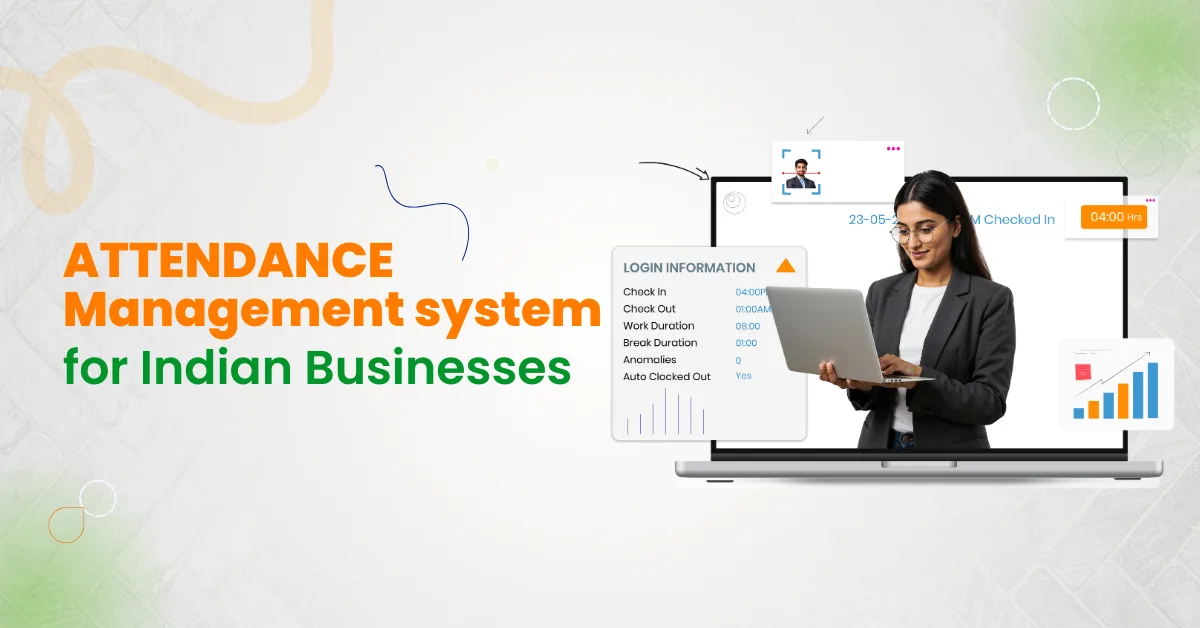
4. AI Facial Recognition Check-In
AI facial recognition check-in enables employee identification through facial recognition technology instead of relying entirely on fingerprint scanners, access cards or manual attendance registers.
Bharat Payroll includes face recognition and intelligent check-in/check-out capabilities within our HRMS offerings.
Key benefits include:
- Contactless check-in: Employees can record attendance using supported facial recognition systems.
- Identity verification: Facial matching helps identify enrolled employees and reduce proxy attendance.
- Connected records: Check-in and check-out information can be associated with employee attendance profiles.
- Reduced manual entry: Automated capture reduces the need for employees to maintain separate attendance records.
- Attendance review: HR teams can identify exceptions and verify attendance information.
For example, an office can use facial recognition check-in at designated attendance points to maintain digital attendance records for registered employees.
Recognition accuracy depends on camera quality, lighting, enrolment data and system configuration. Businesses should also provide appropriate privacy notices and alternative attendance arrangements where necessary.
5. AI-Powered CCTV-Based Attendance Monitoring
CCTV-based attendance monitoring uses compatible camera infrastructure and facial recognition technology to support employee attendance recording.
Instead of requiring every employee to interact with a dedicated attendance terminal, supported systems can use designated camera feeds to identify enrolled employees and capture attendance-related events.
Bharat Payroll’s CCTV-Based Attendance Monitoring integrates AI-powered HRMS capabilities to streamline employee attendance tracking and improve workforce management.
Potential benefits include:
- Attendance capture through compatible camera systems.
- Reduced dependence on manual attendance registers.
- Support for contactless attendance processes.
- Centralised review of attendance records.
- Identification of attendance exceptions requiring verification.
For businesses operating facilities with significant employee movement, CCTV-assisted attendance can provide another method of recording workforce presence.
However, camera-based attendance requires careful implementation. Businesses should verify compatibility, recognition reliability, enrolment requirements, employee notification, data retention and access controls.
CCTV-based attendance should be treated as an attendance verification function, not unrestricted employee surveillance. Organisations should use proportionate monitoring practices and appropriate data protection safeguards.
6. Leave Management and Approvals
Manual leave administration can create inconsistent balances, delayed approvals and unnecessary communication between employees and managers.
A cloud HRMS allows businesses to configure leave policies and manage applications through structured workflows.
Employees can submit requests, review available balances and check approval status. Managers can assess requests according to company policies and workforce availability.
Common features include leave calendars, leave history, approval notifications, configurable leave rules and balance tracking.
A dedicated leave management system helps standardise these processes and maintain accurate employee leave records.
7. Employee Self-Service Portal
Employee self-service gives employees access to relevant HR information without requiring assistance for every routine request.
Depending on configured permissions, employees can review personal details, submit leave applications, check attendance, access HR documents and track requests.
Where payroll is integrated, self-service may also provide payslip and tax-related information.
This reduces repetitive administrative queries while allowing employees to manage permitted activities independently.
8. Automated HR Task Management
HR departments manage recurring tasks involving onboarding, document verification, approvals, employee requests and administrative follow-ups.
A cloud HRMS can automate task assignments and provide better visibility into completion status.
Bharat Payroll lists capabilities such as:
- Automated task assignments.
- Task progress tracking.
- Notifications and reminders.
- Task completion reports.
- Customisable task templates.
For example, when a new employee joins, HR can assign document verification, onboarding approvals and department-specific activities to the responsible employees.
Structured task management improves accountability and reduces the likelihood of incomplete administrative work.
9. Performance Management and Employee Development
Performance management helps organisations establish employee expectations, review progress and document evaluations.
A cloud HRMS with performance management capabilities can support goal setting, employee assessments and appraisal workflows.
Bharat Payroll’s HRMS also includes:
- Goal setting and KPI tracking.
- Employee self-assessments.
- 360-degree feedback.
- Appraisal process automation.
These capabilities help managers organise performance reviews and maintain structured evaluation records.
Organisations should configure assessment criteria carefully and retain human oversight over important employment decisions.
10. AI-Powered HR Assistance
AI-enabled HRMS platforms can simplify certain administrative activities through intelligent assistance.
Bharat Payroll’s HRMS software offers capabilities such as AI-powered form filling and an AI chatbot to help employees resolve queries and simplify HR processes.
AI-assisted form filling can help reduce repetitive information entry, while chatbot functions can provide employees with convenient access to supported HR information.
For example, an employee may use an HR chatbot to obtain guidance about leave procedures or available HR services.
Businesses should verify supported chatbot functions, information access permissions and escalation procedures before deployment.
11. HR Reporting and Workforce Analytics
HR teams need reliable workforce information to identify operational issues and support management decisions.
A cloud HRMS can generate reports covering employee records, attendance, leave, overtime, missing information and administrative activities.
Bharat Payroll’s HR Data & Reporting capabilities include employee records, HR audit reports, consolidated reports and dynamic reporting.
Its reporting functions support filtering, customisable report fields and relevant workforce analysis.
For example, an HR manager overseeing several branches can review attendance exceptions, leave patterns and departmental employee information without compiling separate spreadsheets.
These insights help businesses identify administrative gaps and improve workforce planning.
12. HRMS Integrations and Security Controls
Cloud HRMS software becomes more useful when connected with attendance devices, payroll applications, accounting tools and other enterprise systems.
Businesses should verify supported integrations, API availability, data synchronisation and error-handling procedures.
Security controls should include role-based permissions, authentication, appropriate encryption, audit trails and backup procedures.
Bharat Payroll also offers external integration services and access management capabilities within its HRMS offerings.
What Are the Benefits of a Cloud Based HR Management System?
The primary benefits of cloud HRMS come from centralised information, consistent workflows and reduced repetitive administration.
| Benefit | Business impact |
| Centralised employee records | Reduces scattered and duplicate information |
| Digital onboarding | Improves coordination of joining activities |
| Automated attendance | Reduces manual attendance administration |
| Facial recognition check-in | Supports contactless identity-based attendance |
| CCTV-based attendance | Provides another method of attendance capture |
| Leave automation | Reduces approval delays and manual follow-ups |
| Employee self-service | Reduces routine HR information requests |
| Performance management | Supports structured goals and evaluations |
| Task automation | Improves responsibility tracking |
| Workforce reporting | Supports informed staffing decisions |
| Multi-location administration | Improves visibility across branches |
Actual results depend on data accuracy, implementation quality, system configuration and employee adoption.
How Does Cloud HRMS Manage the Employee Lifecycle?
A cloud HRMS supports employee administration across different stages of employment.
Joining: HR teams collect employee information, complete documentation, assign departments and configure employment-related policies.
Daily administration: Employees record attendance, request leave and access permitted HR information. Managers review requests and workforce availability.
Development: Organisations can record role changes, performance assessments, promotions and departmental transfers.
Separation: HR teams coordinate exit documentation, approvals and relevant employee record updates.
For example, when an employee transfers from Hyderabad to Bengaluru, HR can update the assigned branch, reporting manager and relevant workplace policies.
Maintaining these processes through connected records helps improve administrative consistency throughout employment.
How Does Cloud HRMS Connect Employee Management With Payroll?
HRMS and payroll software are related but serve different purposes.
A cloud HRMS manages employee records, onboarding, attendance, leave and HR workflows. Payroll software primarily manages salary calculations, deductions, payments and statutory payroll administration.
When connected, the HRMS can provide approved employee information for payroll processing.
For example, an approved unpaid leave record can be transferred as an input for salary calculation.
Businesses needing integrated salary processing can explore Bharat Payroll’s payroll software, which supports automated payroll processing, TDS calculation, payslip management and payroll reporting.
For detailed information about salary automation and compliance, read our guide to cloud-based payroll systems in India.
This separation allows HR teams to manage employee operations while payroll teams focus on salary accuracy and statutory responsibilities.
Cloud-Based HRMS vs Traditional HR Management
Businesses replacing spreadsheets or locally installed applications should understand the operational differences.
| Factor | Cloud-based HRMS | Traditional or manual HR management |
| Employee records | Centrally maintained | Often distributed across files |
| Access | Internet-connected, permission-based | Frequently dependent on local access |
| Onboarding | Digital forms and workflows | Paperwork and manual coordination |
| Attendance | Integrated recording and approvals | Registers or separate systems |
| Leave management | Configurable requests and approvals | Email or manual tracking |
| HR tasks | Automated assignments and notifications | Manual follow-ups |
| Reporting | Consolidated reports | Manual data preparation |
| Multi-location management | Centralised visibility | Branch-level records may require consolidation |
| Updates | Generally provider-managed | Depends on local maintenance |
| Security | Cloud provider and customer responsibilities | Primarily locally administered controls |
Cloud systems are not automatically more accurate or secure. Their effectiveness depends on software quality, access controls, reliable data and proper administration.
How to Implement a Cloud Based HR Management System in India
Implementing a cloud HRMS requires more than importing employee information.
Businesses should follow a structured deployment process.
Step 1: Assess Existing HR Processes
Review employee records, onboarding, attendance, leave, approvals and reporting practices.
Identify repeated data entry, delayed tasks and disconnected applications.
Step 2: Define Business Requirements
Document workforce size, departments, office locations, reporting structures, work schedules and HR policies.
Identify essential modules before evaluating additional capabilities.
Step 3: Prepare Employee Data
Review employee identifiers, joining dates, documents, reporting managers, employment status and work locations.
Remove duplicates and resolve incomplete information before migration.
Step 4: Configure Policies and Permissions
Set attendance rules, leave policies, approval workflows, organisational structures and access permissions.
Test that employees and managers can access only appropriate information.
Step 5: Configure Attendance and Integrations
Connect supported biometric devices, facial recognition systems, CCTV-based attendance tools and relevant applications according to business requirements.
For AI attendance features, test identity matching, camera compatibility, exception handling and privacy controls.
Step 6: Test HR Workflows
Use realistic scenarios to verify the system.
For example:
- Onboard a new employee.
- Approve a leave request.
- Correct a missing attendance entry.
- Test authorised facial recognition check-in.
- Review CCTV-assisted attendance records.
- Transfer an employee between departments.
- Generate a workforce report.
- Verify payroll data integration.
Investigate errors before full deployment.
Step 7: Train Employees and Administrators
Train HR teams on employee management, approval procedures, reporting and system permissions.
Managers should understand request handling and team visibility.
Employees should receive instructions for self-service and attendance recording.
Step 8: Monitor Performance
After implementation, review pending approvals, attendance exceptions, incomplete employee records, integration errors and support requests.
Periodic evaluation helps determine whether the new system is improving HR operations.
What Are Common Challenges in Cloud HRMS Implementation?
Even feature-rich HRMS software can encounter problems when implementation is rushed.
Common challenges include:
- Poor employee data: Duplicate or outdated information affects reporting and workflows.
- Unclear HR policies: Inconsistent rules complicate system configuration.
- Integration failures: Existing devices and applications may use incompatible data formats.
- AI attendance limitations: Lighting, camera placement and enrolment quality can affect facial recognition results.
- Employee privacy concerns: Biometric and CCTV attendance require appropriate safeguards and transparent practices.
- Insufficient training: Employees may continue using manual processes.
- Unclear responsibilities: Requests remain pending when approval ownership is not defined.
Businesses should address these issues through careful configuration, staged testing, employee communication and ongoing support.
How Secure Is Cloud-Based HRMS Software in India?
Cloud HRMS platforms process sensitive employee information, including identity records, employment details, attendance data and potentially biometric information.
Before implementing a solution, organisations should review:
- Role-based access: Restrict data access according to responsibilities.
- Encryption: Protect information during transmission and storage.
- Audit logs: Maintain records of important administrative changes.
- Authentication: Protect employee and administrator accounts.
- Backup and recovery: Establish reliable data restoration procedures.
- Retention policies: Define how long employee and attendance information is retained.
- Biometric safeguards: Apply appropriate controls to facial recognition data and CCTV-assisted attendance information.
Indian organisations should evaluate applicable obligations under the Digital Personal Data Protection framework and employment-related laws.
Where facial recognition or CCTV attendance is used, businesses should establish a lawful basis for processing, provide appropriate employee notices and restrict data collection to legitimate operational requirements.
Security should remain a continuous responsibility involving HR, IT, management and relevant advisers.
How Do You Choose the Right Cloud Based HR Platform in India?
The right HRMS depends on workforce size, operational complexity, existing technology and future requirements.
Businesses should evaluate the following criteria:
| Evaluation factor | What to verify |
| Core HRMS functions | Employee records, onboarding, attendance and leave |
| AI attendance | Facial recognition, CCTV compatibility and exception handling |
| HR automation | Task assignments, workflows and approval tracking |
| Performance management | Goals, assessments and appraisal capabilities |
| Employee self-service | Available functions and access permissions |
| Reporting | Workforce dashboards, custom reports and audit records |
| Integrations | Device compatibility, payroll connectivity and APIs |
| Security | Authentication, encryption and data governance |
| Implementation | Migration, configuration, testing and training |
| Scalability | Support for workforce and location expansion |
| Support | Technical assistance and maintenance procedures |
Before purchasing, request a demonstration using realistic employee scenarios.
For example, ask the vendor to demonstrate how the system handles employee onboarding, facial recognition check-in, leave approvals, attendance corrections and HR reporting.
If CCTV-based attendance is required, confirm the supported hardware, deployment method, additional costs and data protection requirements.
Is Cloud-Based HRMS Suitable for Indian SMEs?
Yes. A cloud HRMS can help small and medium-sized businesses organise employee information, reduce manual administration and establish consistent HR processes.
However, SMEs should prioritise essential features.
A smaller organisation may begin with employee records, attendance, leave management and self-service.
As the workforce expands, it can evaluate digital onboarding, performance management, advanced reporting and AI-assisted attendance.
HR cloud based software should be selected according to operational needs rather than the number of available features.
Businesses should compare implementation costs, subscription requirements, training effort and ongoing support before making a decision.
Why Choose Bharat Payroll for Cloud-Based HRMS in India?
Managing employee records, attendance, leave and administrative workflows through disconnected systems can increase HR workload and reduce operational visibility.
Bharat Payroll provides integrated HRMS and payroll solutions designed for Indian businesses.
Its HRMS software brings together employee management and HR administration capabilities, including:
- Digital onboarding and offboarding.
- Attendance and shift management.
- AI facial recognition check-in.
- CCTV-based attendance monitoring.
- GPS attendance and geo-fencing.
- Leave management and approvals.
- Employee self-service.
- Automated task management.
- Performance management.
- AI-powered form filling and employee query assistance.
- HR reporting and workforce analytics.
Bharat Payroll also provides HR Data & Reporting capabilities for managing employee information, accessing audit reports and generating workforce insights.
For organisations requiring salary processing, our payroll software supports payroll calculations, deductions, reporting and related statutory administration.
Together, these capabilities help businesses coordinate employee management, HR operations and payroll processes.
Simplify employee management with Bharat Payroll
Contact our team to explore HRMS capabilities suited to your business requirements.
Frequently Asked Questions
1. What is a cloud based HR management system?
A cloud based hr management system is internet-accessible software that helps organisations manage employee records, onboarding, attendance, leave, HR workflows and workforce reporting through centrally managed cloud infrastructure.
2. What are the main benefits of cloud-based HRMS?
Cloud HRMS helps centralise employee information, reduce repetitive administration, streamline approvals, improve workforce visibility and support consistent HR processes across departments and locations.
3. How does AI facial recognition attendance work?
AI facial recognition attendance uses supported cameras to compare captured facial information with enrolled employee records. When identification succeeds, the system can record attendance according to configured rules. Accuracy depends on the system and operating conditions.
4. Can cloud HRMS support CCTV-based attendance monitoring?
Yes. Certain platforms, including Bharat Payroll, offer CCTV-based attendance capabilities. Businesses should verify camera compatibility, recognition accuracy, privacy requirements and deployment arrangements.
5. Can cloud HRMS automate employee onboarding?
Yes. Suitable platforms can support digital employee forms, documentation, electronic signatures, joining checklists and approval workflows.
6. What is the difference between HRMS and payroll software?
HRMS manages employee information and broader HR activities. Payroll software primarily handles salary calculations, deductions, payments and statutory payroll administration. Both systems can be integrated.
7. Can HR cloud based software support multiple locations?
Yes. Suitable HRMS platforms can centralise employee records while supporting location-specific attendance rules, work schedules, reporting structures and HR policies.
8. How long does cloud HRMS implementation take?
Implementation time depends on employee count, data quality, selected modules, integrations, workflow complexity and training requirements.
9. How should businesses evaluate cloud HRMS software?
Businesses should compare essential HR features, integration compatibility, security controls, implementation support, reporting capabilities, scalability and overall cost. Practical demonstrations help establish whether the platform meets operational needs.