
Payroll is one of the most repetitive and accuracy-sensitive responsibilities handled by HR teams. Every payroll cycle requires attendance inputs, salary calculations, deductions, reimbursements, statutory contributions, payslip generation, payment records and management reports.
When these activities depend on spreadsheets and disconnected systems, HR professionals spend substantial time collecting data, checking formulas and correcting avoidable errors.
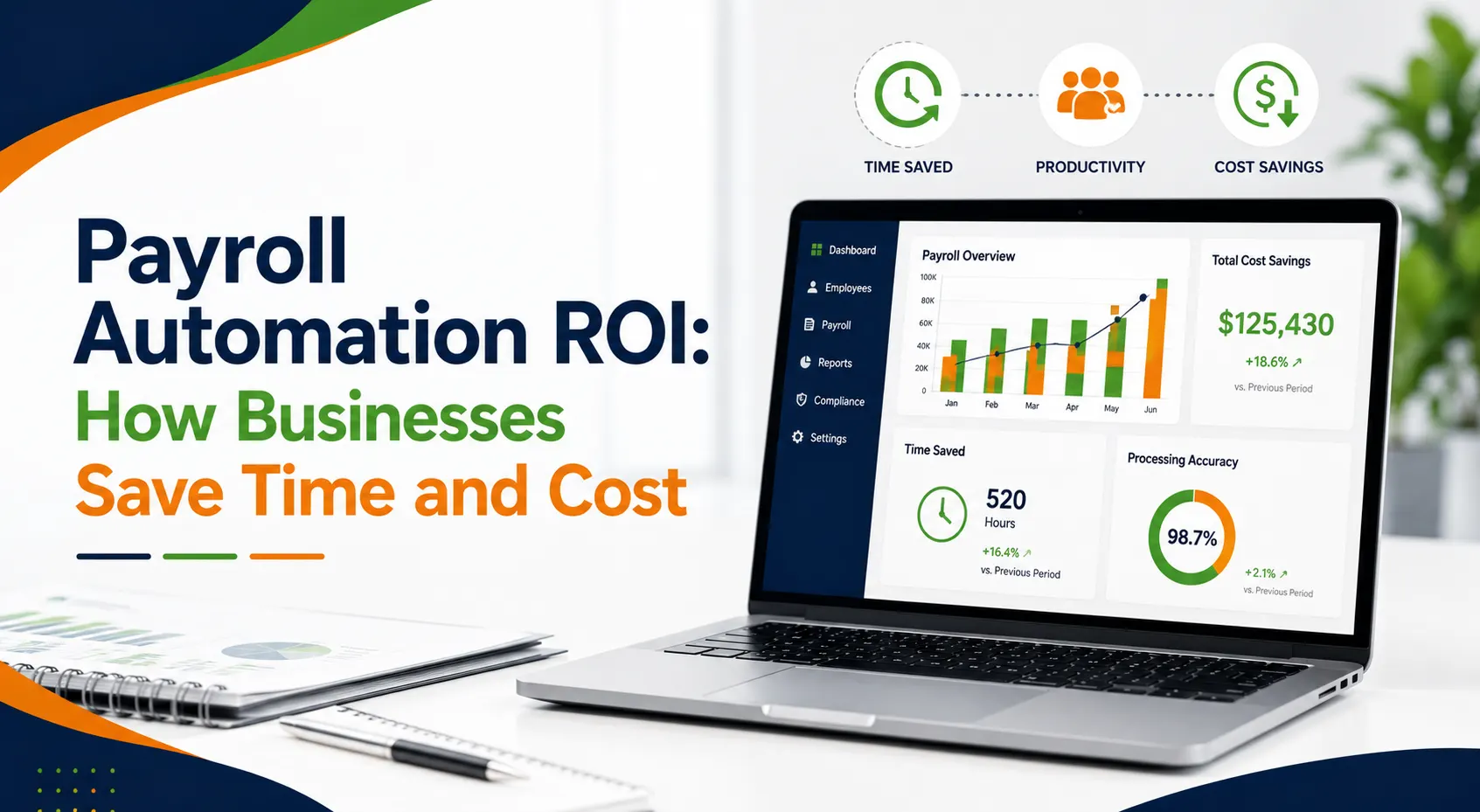
Payroll automation ROI measures the financial and operational value a business gains by replacing manual payroll activities with automated software. The return includes more than lower administrative costs. It can also include improved payroll efficiency, greater HR productivity, fewer calculation errors, faster reporting and more time for strategic workforce responsibilities.
For HR managers preparing a business case for payroll automation, the main question is straightforward: does the time and cost saved through automation exceed the total investment in payroll software?
The answer becomes clearer when the organisation measures both the visible and hidden costs of its current payroll process.
What Is Payroll Automation ROI?
Payroll automation ROI is the measurable return an organisation receives after investing in payroll software.
It compares the total financial and operational benefits created by automation with the cost of purchasing, implementing and maintaining the system.
A basic formula is:
Payroll automation ROI = (Total benefits − Total software cost) ÷ Total software cost × 100
The total benefits may include:
- Reduced payroll processing hours
- Lower administrative expenses
- Fewer correction and reprocessing costs
- Less dependence on spreadsheets
- Faster payroll reporting
- Better use of HR resources
- Reduced employee query volumes
- Improved payroll accuracy
- Easier access to historical payroll information
The total investment may include:
- Software subscription or licence fees
- Implementation expenses
- Employee data migration
- System configuration
- Training costs
- Integration expenses
- Ongoing technical support
A reliable ROI calculation should examine the entire payroll cycle rather than comparing the software fee only with the time spent calculating salaries.
Why Does Manual Payroll Cost More Than It Appears?
Manual payroll may initially appear inexpensive because it does not require an immediate software investment. However, its actual cost is often distributed across HR, finance, management and employee support activities.
1. Repeated data entry
Attendance, leave, overtime, incentives, deductions and reimbursement information may need to be transferred manually between separate spreadsheets or systems.
Every transfer consumes time and creates an opportunity for incorrect or duplicated data.
2. Lengthy payroll validation
HR and finance teams often spend hours checking salary sheets, bank files, statutory deductions and tax calculations before approving payroll.
The more disconnected the information is, the longer the validation process becomes.
3. Payroll corrections
A payroll error can require recalculation, approval, employee communication, revised payment instructions and updated reports.
The cost of an error therefore extends beyond the time required to correct one salary figure.
4. Employee queries
Unclear deductions, missing attendance records and delayed payslips can generate questions that HR must investigate individually.
5. Compliance administration
PF, ESI, TDS, professional tax and other applicable obligations require accurate employee and salary information. Manual processes can make reconciliation and reporting more difficult.
6. Delayed management reporting
Management may require payroll summaries, departmental salary costs, deduction reports or location-wise workforce expenses. Preparing these reports manually can interrupt regular HR activities.
These hidden expenses should form part of the business case for payroll automation.
How Does Payroll Automation Save Time?
The most visible automation benefit is the reduction in repetitive administrative work.
1. Centralised employee information
Payroll software stores salary structures, deductions, bank details, tax information and other employee records in one controlled system.
HR teams do not need to rebuild employee information before every payroll cycle.
2. Attendance and leave integration
When approved attendance and leave information is connected with payroll, working days, overtime, absences and loss of pay can flow into salary calculations.
This reduces manual input preparation and reconciliation.
Bharat Payroll explains how an integrated attendance management system can connect attendance records and payroll-linked hours within a centralised workflow.
3. Automated salary calculations
Automated payroll software can calculate earnings, deductions, employer contributions and net pay according to configured salary rules.
HR teams can focus on reviewing exceptions rather than calculating every employee’s salary manually.
4. Faster payslip generation
Payroll software can produce payslips after the payroll cycle is reviewed and approved. This removes the need to prepare separate salary documents for each employee.
5. Structured payroll reports
Bharat Payroll’s payroll reports cover payroll summaries, employee payroll details, deductions, employer contributions and compliance-related information. Reports can also be filtered by factors such as department, location or pay cycle.
6. Employee access
Employee self-service can give employees access to payslips, payroll summaries, deductions and benefits, reducing routine questions directed to HR.
The actual time saved on payroll depends on employee numbers, salary complexity, current systems and the quality of implementation.
How Can Payroll Automation Reduce HR Cost?
To reduce HR cost, an organisation does not necessarily need to reduce its HR headcount. It can increase the value produced by the existing team.
Lower cost per payroll cycle
When fewer hours are needed to collect data, process salaries, prepare reports and resolve errors, the administrative cost of each payroll run falls.
Reduced overtime
Payroll deadlines may require additional working hours when information arrives late or calculations need repeated correction.
Automated workflows can help teams follow a more consistent processing schedule.
Less rework
Centralised employee information and configured salary rules reduce dependence on duplicated entries, manual formulas and outdated spreadsheets.
Better use of HR professionals
HR managers and executives can redirect time towards recruitment, retention, employee development, workforce planning and policy improvement.
Reduced dependence on individual employees
Manual payroll often depends heavily on one employee’s knowledge of spreadsheet formulas, file locations and historical adjustments.
A structured system makes payroll processes more consistent and easier to transfer between authorised team members.
Greater scalability
As the workforce grows, payroll software can process more employee records without administrative work increasing at the same rate.
This scalability is one of the most important long-term automation benefits for growing organisations.
What Cost Savings Can Automated Payroll Deliver?
The cost savings with automated payroll can be divided into direct and indirect savings.
Direct savings
Direct savings are usually easier to calculate.
They may include:
- Fewer payroll administration hours
- Lower overtime costs
- Reduced printing and document handling
- Fewer correction payments
- Less external payroll support
- Reduced spreadsheet maintenance
- Faster report preparation
Indirect savings
Indirect savings may be harder to calculate but can create considerable business value.
They may include:
- Fewer employee complaints caused by payroll errors
- Faster answers to payroll queries
- Better visibility into salary expenses
- Stronger internal controls
- Easier payroll audit preparation
- Reduced dependence on manual processes
- Better use of HR and finance teams
- More consistent payroll records
A complete assessment of the ROI of payroll software should consider both types of savings.
Practical Payroll Automation ROI Example
Consider an organisation with 300 employees.
Before automation, its HR and finance teams spend a combined 80 hours each month preparing payroll inputs, validating calculations, generating reports and answering payroll queries.
Assume the average internal cost of this work is ₹600 per hour.
Manual payroll cost
80 hours × ₹600 = ₹48,000 per month
The annual administrative cost is:
₹48,000 × 12 = ₹5,76,000
After implementing payroll automation, assume the organisation reduces payroll-related work to 32 hours each month.
Automated payroll cost
32 hours × ₹600 = ₹19,200 per month
The annual administrative cost becomes:
₹19,200 × 12 = ₹2,30,400
The annual time-related saving is:
₹5,76,000 − ₹2,30,400 = ₹3,45,600
Assume the annual software, implementation and support cost is ₹1,50,000.
The estimated first-year ROI is:
(₹3,45,600 − ₹1,50,000) ÷ ₹1,50,000 × 100 = 130.4%
This is an illustrative calculation. It does not include potential savings from fewer payroll errors, reduced employee queries, improved compliance preparation or better use of HR time.
Every organisation should use its own payroll hours, salary costs and software expenses when calculating ROI.
How Should HR Managers Measure Time Saved on Payroll?
Before implementing automation, HR managers should record the time currently spent on each payroll activity.
The review should include:
- Collecting attendance and leave data
- Preparing salary inputs
- Updating new employee and exit information
- Calculating incentives and deductions
- Reviewing payroll spreadsheets
- Checking statutory calculations
- Preparing bank transfer information
- Generating payslips
- Producing payroll reports
- Resolving employee queries
- Correcting payroll mistakes
- Preparing audit records
After implementation, the organisation should measure the same activities for at least three payroll cycles.
| Payroll activity | Manual process | Automated process | Monthly saving |
| Input preparation | 20 hours | 8 hours | 12 hours |
| Salary calculation | 16 hours | 4 hours | 12 hours |
| Payroll validation | 14 hours | 7 hours | 7 hours |
| Report preparation | 10 hours | 3 hours | 7 hours |
| Employee queries | 12 hours | 7 hours | 5 hours |
| Payroll corrections | 8 hours | 3 hours | 5 hours |
| Total | 80 hours | 32 hours | 48 hours |
This comparison gives management a more credible estimate than general claims about the benefits of automation.
Manual Payroll vs Automated Payroll
| Area | Manual payroll | Automated payroll |
| Employee records | Distributed across files and spreadsheets | Maintained in centralised records |
| Attendance inputs | Entered or transferred manually | Connected with approved attendance information |
| Salary calculation | Dependent on formulas and manual checks | Processed through configured payroll rules |
| Deductions | Recalculated manually | Applied according to payroll settings |
| Payslips | Prepared or shared separately | Generated after payroll processing |
| Reports | Compiled from multiple files | Produced from structured payroll data |
| Corrections | Require repeated calculations | Managed through controlled payroll updates |
| Scalability | Administrative work rises with headcount | Supports higher payroll volumes efficiently |
| Audit records | Scattered across emails and sheets | Retained within structured system records |
| Employee access | Dependent on HR support | Supported through employee self-service |
The purpose of automation is not to remove payroll review. It is to reduce repetitive calculations so HR teams can concentrate on approvals, exceptions and workforce decisions.
How Does Payroll Automation Improve HR Productivity?
HR productivity improves when the department spends less time on administrative repetition and more time on activities that influence employees and business performance.
Payroll automation can help HR teams:
- Complete payroll within a predictable timetable
- Spend less time checking spreadsheet formulas
- Access employee salary records more quickly
- Produce payroll reports without manual consolidation
- Respond to employee questions using clearer records
- Identify exceptions before payroll approval
- Support new locations or departments more efficiently
- Coordinate more effectively with finance teams
- Maintain consistent payroll processes
The value grows over time because payroll is recurring. Saving 20 hours during one payroll cycle is useful. Saving the same amount during every monthly cycle creates a much stronger annual return.
How Does Automation Improve Payroll Efficiency?
Payroll efficiency measures how accurately and consistently an organisation can complete payroll using available time and resources.
Automation can improve efficiency through:
1. Standard salary structures
Configured earnings and deductions reduce inconsistent calculations between employees.
2. Controlled employee records
Centralised data reduces the risk of teams working from different spreadsheet versions.
Effective-date management
Salary revisions, deductions and employee status changes can be connected to the date from which they apply.
3. Exception-based reviews
Rather than checking every calculation manually, payroll teams can concentrate on unusual records or exceptions.
4. Faster reporting
HR and finance teams can generate structured information without rebuilding reports from separate files.
Bharat Payroll’s payroll software is designed to automate payroll processing, TDS calculation and reporting while reducing repetitive payroll tasks.
How Does Payroll Automation Support Statutory Compliance?
Indian payroll teams may need to manage PF, ESI, TDS, professional tax, labour welfare fund and other applicable obligations.
Automation can assist with calculations and reports, but the employer remains responsible for correct employee data, system configuration, payments and filings.
EPF administration
The Employees’ Provident Fund Organisation provides online facilities for employer registration, monthly returns and contribution payments. Employers should refer to the official EPFO employer guidance when reviewing their payroll procedures.
ESI contributions
The official ESIC contribution page states that the employee contribution rate is currently 0.75% of wages and the employer contribution rate is 3.25% of wages. Employers should confirm current eligibility, contribution periods and wage definitions before applying these rates.
Bharat Payroll compliance reports
Bharat Payroll’s payroll compliance reporting includes support for ESI deductions and gratuity-related payroll processes.
Payroll automation can reduce compliance administration, but it should support qualified payroll oversight rather than replace it.
Which Other Automation Benefits Improve ROI?
The value of payroll automation extends beyond measurable labour savings.
1. Faster payroll closure
A consistent workflow can help HR and finance teams complete reviews and approvals within a defined schedule.
2. Better workforce reporting
Management can review salary expenses, deductions and employer contributions without waiting for multiple spreadsheets to be consolidated.
3. Improved employee experience
Accurate salary payments and easier access to payslips can reduce frustration and repeated questions.
4. Stronger access controls
Centralised records and user permissions can reduce uncontrolled changes to sensitive payroll information.
5. Easier audit preparation
Historical payroll records and standard reports can make internal reviews and external audits more manageable.
6. Better HR and finance coordination
Both departments can use the same structured information instead of exchanging different spreadsheet versions.
These benefits strengthen the overall business case for payroll automation.
How Can HR Managers Build a Business Case for Payroll Automation?
A strong business case for payroll automation should present the software as a measurable operational investment rather than a general technology upgrade.
1. Document the current payroll workload
Record the employees involved, total hours spent and activities completed during each payroll cycle.
2. Identify process weaknesses
List payroll errors, delayed approvals, duplicated work, reporting limitations and frequent employee complaints.
3. Calculate the current cost
Include internal labour, overtime, correction work, external support and document-related expenses.
4. Estimate the automation impact
Calculate how much time could be saved from input preparation, salary processing, reporting and employee support.
5. Determine the total system cost
Include subscriptions, implementation, data migration, training, integrations and support.
Bharat Payroll’s plans begin from ₹49 per employee and are structured for different business sizes. Employers should request a quotation based on their required modules, employee numbers and implementation needs.
6. Establish success measures
Useful measures include:
- Payroll hours per cycle
- Cost per employee processed
- Number of corrections
- Number of employee queries
- Time required to generate reports
- Payroll completion time
- Statutory report preparation time
- HR hours redirected to strategic work
These measures allow management to evaluate the return after three, six and twelve months.
What Should HR Managers Evaluate Before Choosing Payroll Software?
The least expensive system does not always produce the best return.
HR managers should evaluate whether the software supports:
- The organisation’s employee count
- Current salary structures
- Attendance and leave requirements
- Multiple departments or locations
- Employee onboarding and exits
- Variable pay and salary arrears
- PF, ESI, TDS and professional tax requirements
- Payroll reporting
- Employee self-service
- User permissions and approvals
- Data migration
- Technical support
- Business scalability
- Transparent pricing
- Implementation assistance
The decision should reflect both the cost of the software and the operational value it can create.
How Does Bharat Payroll Support Efficient Payroll Processing?
Bharat Payroll provides integrated HRMS and payroll capabilities for organisations seeking to automate salary processing, employee records, statutory calculations and reporting.
The Bharat Payroll HRMS software connects payroll with attendance, tax compliance and employee management processes.
Its capabilities include:
- Automated payroll processing
- Salary and deduction calculations
- Payroll reports
- Payslip management
- TDS calculations
- Compliance-related reporting
- Attendance-linked payroll data
- Employee salary records
- Bank transfer information
- Historical payroll data
- Department and location-based reporting
Bharat Payroll’s payroll and HRMS integration brings employee records, approvals, declarations and payslips into one workflow.
By centralising data and reducing repeated calculations, Bharat Payroll can help HR teams achieve more efficient payroll processing and improve visibility across every pay cycle.
Boost Payroll Efficiency with Automation
See how Bharat Payroll helps you reduce payroll time, cut costs, and improve accuracy with a smarter automated system.
Frequently Asked Questions
1. What is payroll automation ROI?
Payroll automation ROI measures the financial and operational benefits generated by payroll software against implementation, subscription, training and support costs.
2. How does payroll automation reduce HR costs?
It reduces repetitive data entry, calculation time, reporting effort, correction work and employee query handling, allowing HR teams to use their time more effectively.
3. How much time can a business save through payroll automation?
The time saved depends on workforce size, payroll complexity and current processes. Organisations should compare payroll hours before and after implementation to calculate actual savings.
4. Can payroll automation eliminate every payroll error?
No. Incorrect employee data or system configuration can still cause errors. However, automation can reduce duplicated entries, formula mistakes and inconsistent calculations.
5. How does Bharat Payroll improve payroll automation ROI?
Bharat Payroll centralises payroll data, automates salary calculations and provides structured reports, helping HR teams reduce manual work and improve payroll efficiency.
6. Can Bharat Payroll reduce payroll processing time?
Yes. Bharat Payroll can reduce time spent on salary calculations, report preparation, payslip generation, employee record management and repeated data entry.